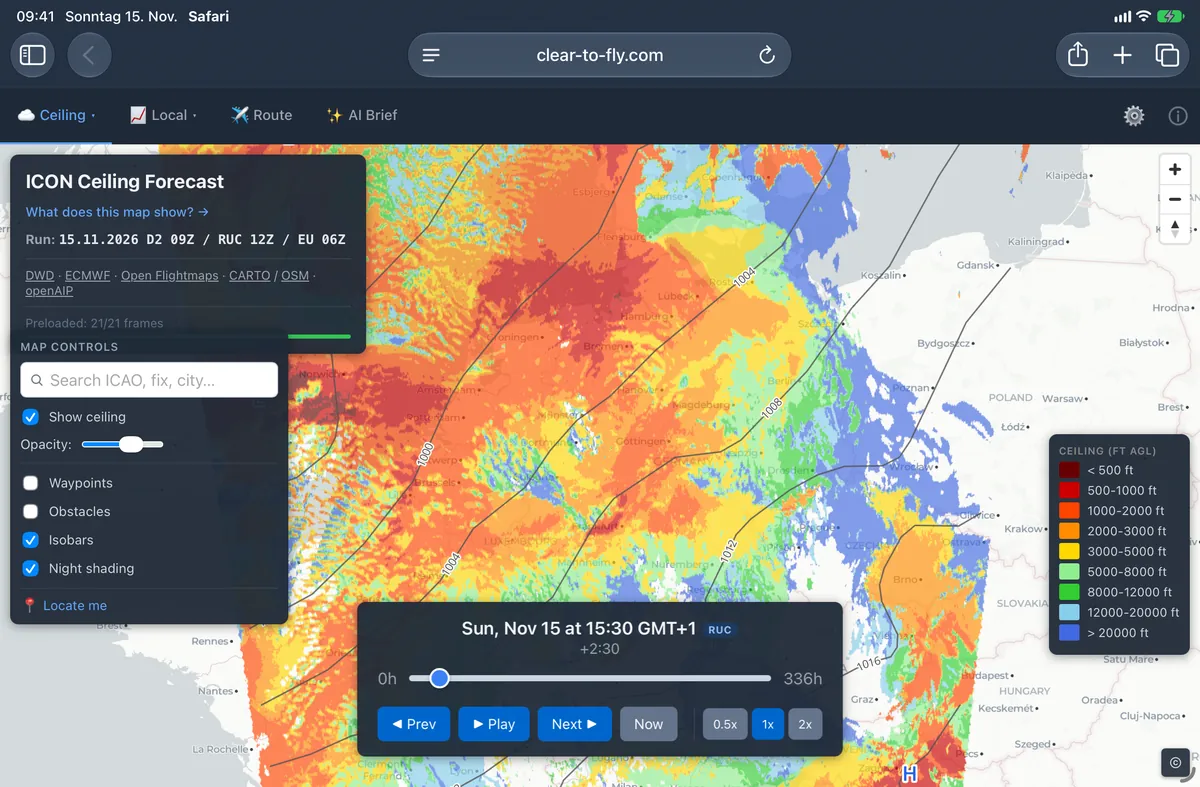
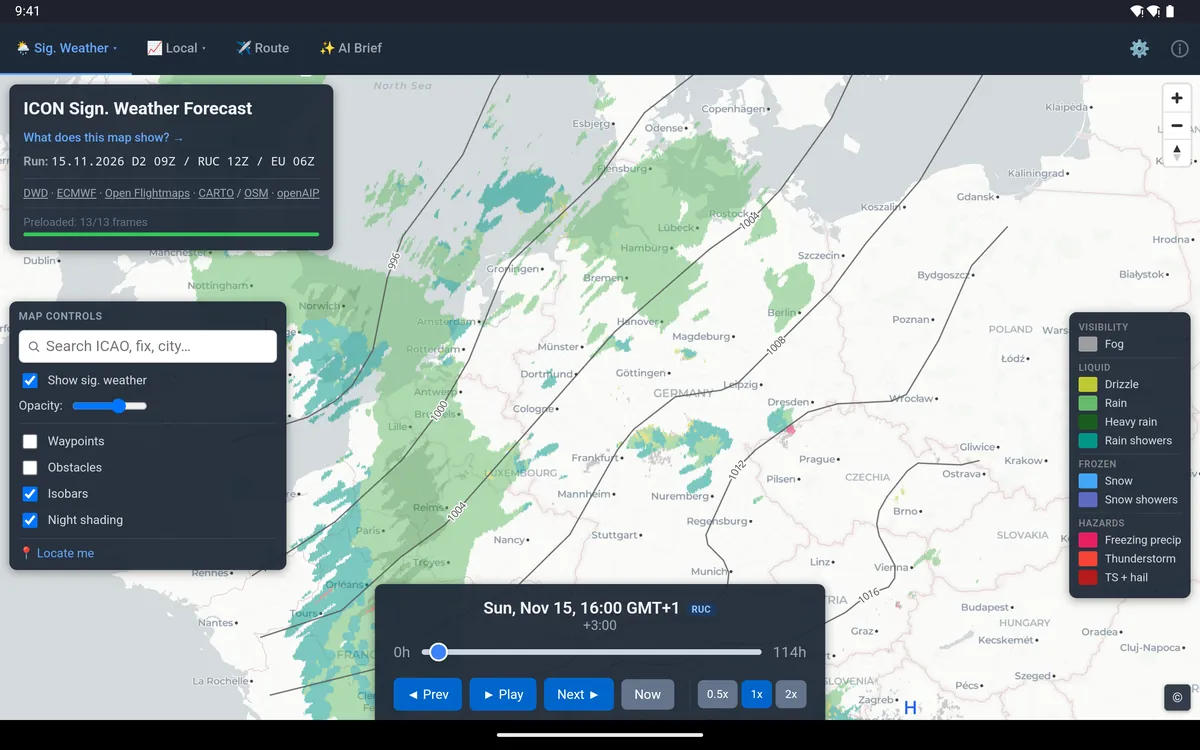
This tool visualizes weather data from the German Weather Service (DWD) for VFR pilots. The core value proposition is resolution (2.1km grid, ~542,000 cells covering most of Europe) and recency (updates within minutes of new model runs).
Straight from the raw DWD model output, no third-party API in between: ICON-D2 RUC for the first 14 hours (new run every hour, 15-minute steps), ICON-D2 to 48 hours, ICON-EU (~7 km) to 5 days and ECMWF Open Data (CC-BY-4.0) to 15 days.
💨 Wind — Wind speed and direction at the surface and aloft
☀️ Thermals — Climb rate, top of climb, Cu base and bumpiness for soaring
Local Forecasts
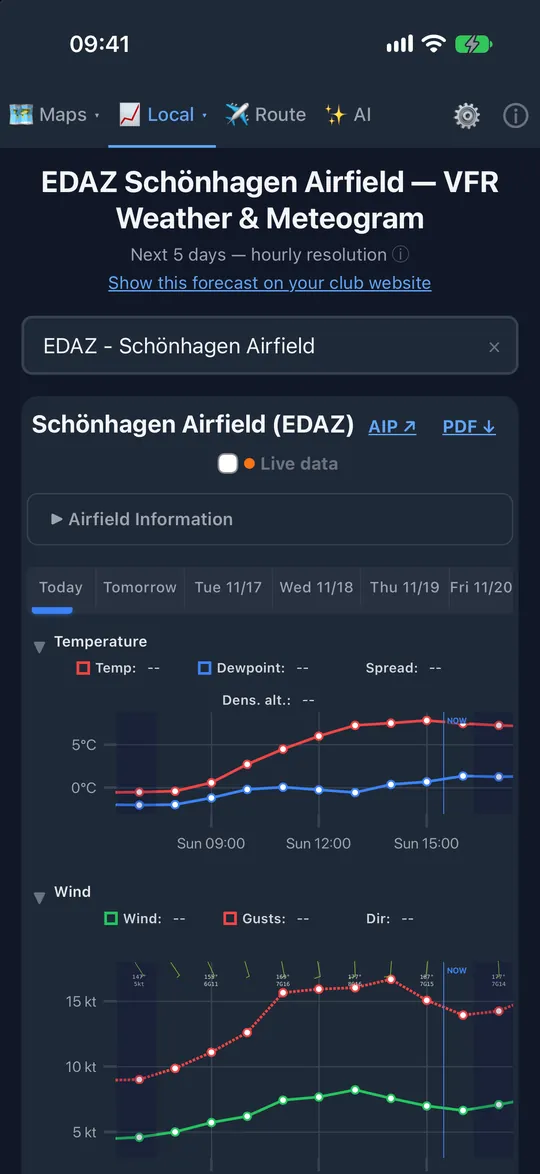
📈 Meteograms — 5-day forecast for 1,723 airfields and 4,295 cities: cloud layers, flight category, crosswind on your runways
📅 Outlook — 15-day daily forecast cards for any airfield or city
Route & AI Brief
✈️ Route — Cross-section along your route with the airspace you cross, 48 h of animation, head-/tailwind per leg and an AI route brief by email
✨ AI Brief — AI-written regional briefing for the next 5 days, per aviation zone
Your Settings
🎯 Personal Limits — Set crosswind, gust, tailwind, ceiling and visibility limits once; meteograms, map popups, cross-sections and the AI route brief check every hour against them
🏠 Club website card — Put your airfield's weather on your own site: open it in the meteogram viewer and click Show this forecast on your club website
🤖 AI assistants (MCP) — Ask Claude or any MCP client in plain language: “can I fly EDAZ–EDGB on Saturday?”
⌚ ClearToFly for Garmin — Fenix 6 Pro watch face: GAFOR strip, ceiling, visibility, crosswind, cloud layers, updated every 30 minutes
Disclaimer: This tool is for informational purposes only and is not a substitute for official weather briefings. Always use authorized sources for flight planning.
This service is free. If you find it useful, you can buy me a coffee.
Help shape ClearToFly
I'm a one-person operation. Subscribe to hear when new features land, and to weigh in on what I should build next. A few emails per year. One click to unsubscribe.
Install as app
Add Clear2Fly to your home screen for fullscreen mode and offline access to the last cached forecast. iOS: Tap ⋯ or ☰ next to the address bar, then Share → "Add to Home Screen" (steps)Android: Tap ⋮ (menu) then "Add to Home Screen" or "Install App"
Haftungsausschluss – Inhalte
Diese Anwendung dient ausschließlich der Information und ersetzt keine offizielle Flugwetterberatung. Für die Flugplanung sind stets die zugelassenen Quellen zu verwenden. Eine Gewähr für die Richtigkeit, Vollständigkeit und Aktualität der dargestellten Daten wird nicht übernommen.
Haftungsausschluss – Links
Diese Anwendung enthält Links zu externen Websites Dritter (DWD, OpenFlightMaps, CARTO, OpenStreetMap). Für die Inhalte der verlinkten Seiten ist stets der jeweilige Anbieter verantwortlich. Eine permanente inhaltliche Kontrolle der verlinkten Seiten ist ohne konkrete Anhaltspunkte einer Rechtsverletzung nicht zumutbar.
Streitbeilegung
Die Europäische Kommission stellt eine Plattform zur Online-Streitbeilegung (OS) bereit: https://ec.europa.eu/consumers/odr/. Wir sind nicht bereit oder verpflichtet, an Streitbeilegungsverfahren vor einer Verbraucherschlichtungsstelle teilzunehmen.
Datenschutzerklärung – Server-Logs und Nutzungsstatistik
Verantwortlicher
Jan Schaffner (Anschrift siehe Impressum)
Erhobene Daten
Beim Aufruf der Website: IP-Adresse, Zeitpunkt, aufgerufene Adresse, Browser-Kennung (User-Agent) und Referrer (Zugriffsprotokolle des CDN Amazon CloudFront) sowie technische Anwendungsprotokolle. Bei Routen-Querschnitten und Anfragen über die Schnittstelle für KI-Assistenten (MCP): zusätzlich die angefragten Orte bzw. Wegpunkte und die Kennung des Clients; statt der IP-Adresse nur eine monatlich wechselnde, mit einem geheimen Schlüssel gebildete Prüfsumme und bei Routen-Querschnitten die gekürzte IP-Adresse (letztes Segment entfernt).
Zweck der Verarbeitung
Sicherer Betrieb des Dienstes, Fehleranalyse und anonymisierte Nutzungsstatistik.
Rechtsgrundlage
Art. 6 Abs. 1 lit. f DSGVO (berechtigtes Interesse am sicheren Betrieb und an der Verbesserung des Dienstes).
Speicherdauer
Zugriffs- und Anwendungsprotokolle mit IP-Adressen werden nach 14 Tagen gelöscht. Die Anfragestatistik (gekürzte IP-Adresse, Prüfsumme, angefragte Orte) enthält keine vollständige IP-Adresse und wird unbefristet gespeichert.
Empfänger
Amazon Web Services EMEA SARL (Infrastruktur: CloudFront, App Runner, S3, CloudWatch) – Verarbeitung in eu-central-1 (Frankfurt).
Datenschutzerklärung – KI-Routenbriefing
Verantwortlicher
Jan Schaffner (Anschrift siehe Impressum)
Zweck der Verarbeitung
Zustellung des KI-generierten Routenbriefings per E-Mail. Die Daten werden ausschließlich für diesen Zweck verwendet.
Rechtsgrundlage
Art. 6 Abs. 1 lit. a DSGVO (Einwilligung durch Aktivierung der Checkbox)
Speicherdauer
E-Mail-Adresse und Routendaten werden nach Versand des Briefings nicht dauerhaft gespeichert. Server-Logs mit IP-Adressen werden nach 14 Tagen gelöscht.
Empfänger
Amazon Web Services EMEA SARL (Infrastruktur: EC2, SES, Bedrock) – Verarbeitung in eu-central-1 (Frankfurt).
Ihre Rechte
Sie haben das Recht auf Auskunft, Berichtigung, Löschung und Einschränkung der Verarbeitung Ihrer Daten. Die Einwilligung kann jederzeit mit Wirkung für die Zukunft widerrufen werden. Beschwerden können an die zuständige Aufsichtsbehörde gerichtet werden.
Datenschutzerklärung – Feedback-Abonnement
Verantwortlicher
Jan Schaffner (Anschrift siehe Impressum)
Erhobene Daten
E-Mail-Adresse, IP-Adresse, Zeitstempel der Einwilligung sowie der zum Einwilligungszeitpunkt angezeigte Hinweistext.
Zweck der Verarbeitung
Versand gelegentlicher E-Mails mit Feedback-Anfragen sowie Ankündigungen zu neuen Funktionen. Diese Verarbeitung erfolgt getrennt vom KI-Routenbriefing; eine Einwilligung für eines der beiden bedeutet keine Einwilligung für das andere.
Rechtsgrundlage
Art. 6 Abs. 1 lit. a DSGVO (Einwilligung durch Klick auf den Bestätigungslink in der Briefing-E-Mail oder durch Eingabe der E-Mail-Adresse im Info-Modal mit anschließender Bestätigung per Double-Opt-In).
Versandfrequenz
Wenige E-Mails pro Jahr. Inhalte beschränken sich auf Feedback-Fragen und Feature-Ankündigungen; keine Werbung Dritter.
Speicherdauer
Der Einwilligungseintrag (E-Mail, Zeitstempel, IP, Hinweistext) wird bis zum Widerruf gespeichert; nach Widerruf werden die Daten innerhalb von 30 Tagen gelöscht. Server-Logs mit IP-Adressen werden nach 14 Tagen gelöscht.
Empfänger
Amazon Web Services EMEA SARL (Infrastruktur: SES, S3) – Verarbeitung in eu-central-1 (Frankfurt).
Widerruf
Jede E-Mail enthält einen Ein-Klick-Abmeldelink. Der Widerruf wirkt sofort und kostet nichts.
Ihre Rechte
Sie haben das Recht auf Auskunft, Berichtigung, Löschung und Einschränkung der Verarbeitung Ihrer Daten. Beschwerden können an die zuständige Aufsichtsbehörde gerichtet werden.
Datenschutzerklärung – Wochenend-Ausblick per E-Mail
Verantwortlicher
Jan Schaffner (Anschrift siehe Impressum)
Erhobene Daten
E-Mail-Adresse, gewählter Flugplatz, die in den Einstellungen hinterlegten persönlichen Grenzwerte (Seitenwind, Böen, Rückenwind, Wolkenuntergrenze, Sicht) und das Flugzeugmuster, Zeitstempel der Anmeldung und der Bestätigung sowie der bei der Anmeldung angezeigte Hinweistext.
Zweck der Verarbeitung
Versand einer wöchentlichen E-Mail (donnerstags), die angibt, wann der gewählte Flugplatz am folgenden Freitagnachmittag, Samstag und Sonntag innerhalb Ihrer Grenzwerte liegt. Die Daten werden ausschließlich für diesen Zweck verwendet und sind vom KI-Routenbriefing und vom Feedback-Abonnement getrennt.
Rechtsgrundlage
Art. 6 Abs. 1 lit. a DSGVO (Einwilligung durch Anmeldung auf der Meteogramm-Seite mit anschließender Bestätigung per Double-Opt-In).
Versandfrequenz
Eine E-Mail pro Woche.
Speicherdauer
Nicht bestätigte Anmeldungen werden nach 2 Tagen gelöscht. Bestätigte Anmeldungen werden bis zur Abmeldung gespeichert und bei der Abmeldung sofort gelöscht. Server-Logs mit IP-Adressen werden nach 14 Tagen gelöscht.
Empfänger
Amazon Web Services EMEA SARL (Infrastruktur: SES, S3, Lambda) – Verarbeitung in eu-central-1 (Frankfurt).
Widerruf
Jede E-Mail enthält einen Ein-Klick-Abmeldelink. Der Widerruf wirkt sofort und kostet nichts.
Ihre Rechte
Sie haben das Recht auf Auskunft, Berichtigung, Löschung und Einschränkung der Verarbeitung Ihrer Daten. Beschwerden können an die zuständige Aufsichtsbehörde gerichtet werden.
ClearToFly as an app on your phone or tablet
ClearToFly is a web app: there's nothing to download from an app store.
Add it to your home screen once and it opens like any other app —
full screen, without the browser's address bar and tabs, straight into
the map or meteogram you use most.
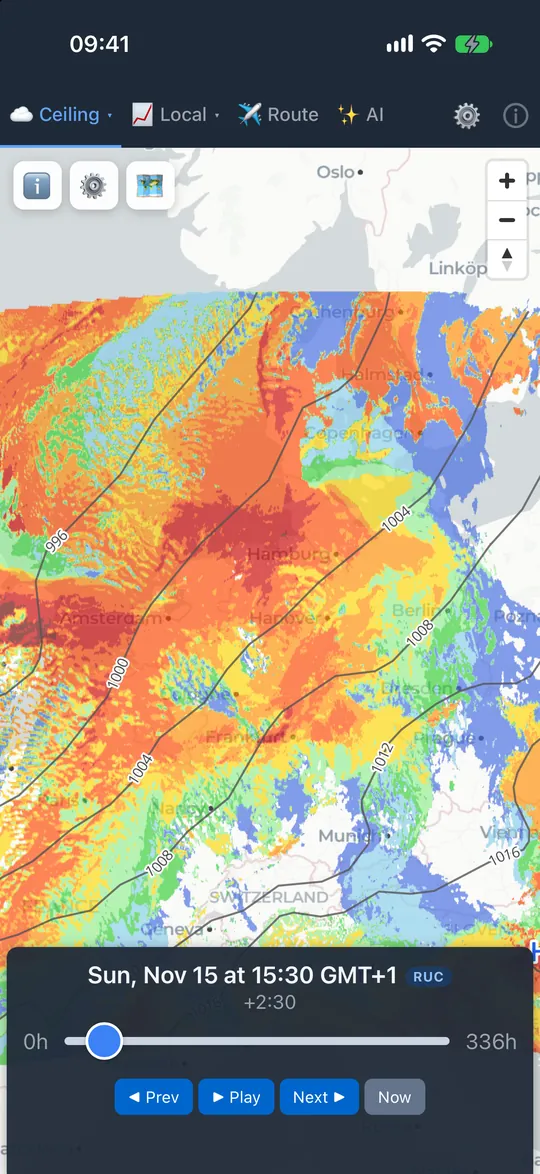
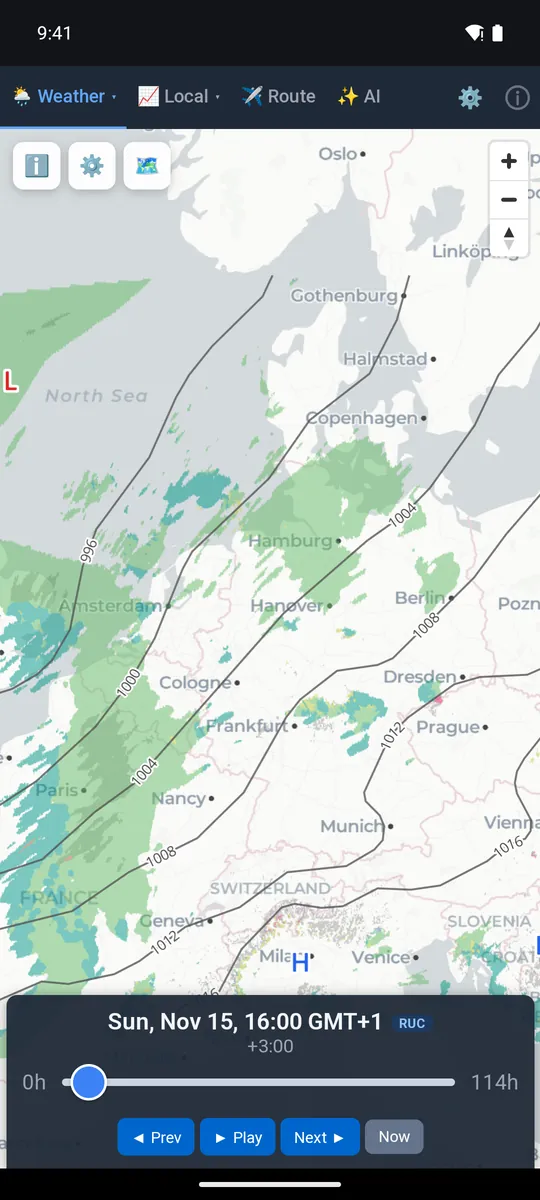
iPhone. The ceiling map, full screen.iPhone. Meteogram for your airfield.Android. Significant weather, installed from Chrome.
Why install it
One tap from the home screen, opening on the page you
choose under ⚙️ Settings → Start Page (Sig. Weather, Ceiling,
Meteograms, Route Planner, …).
The whole screen for the map. No address bar or tab
strip.
Always the current version. The app is the website,
so it updates itself; when a new model run is out while it's open,
a New forecast available banner offers to refresh.
Phone-friendly behaviour in app mode: pinching zooms
the map, not the whole page, and on Android the Back button closes an
open dialog instead of leaving the app.
Choose Install (not Create shortcut) and
confirm. The ClearToFly icon appears on your home screen.
Computer (Chrome, Edge, Safari)
Chrome and Edge show an install icon at the right end of the address
bar; in Safari on a Mac use File → Add to Dock. ClearToFly then
runs in its own window.
Supported devices
Any phone, tablet or computer with a current browser works — in a tab or
installed. The layout adapts to the screen: on phones the side panels
fold into the ℹ️ ⚙️ 🗺️ buttons above the map, on tablets and computers
they stay open next to it. Portrait and landscape both work.
Device
Browser to install from
Tested on
iPhone
Safari
iPhone 17, iOS 27 — portrait and landscape
iPad
Safari
iPad Air 11″, iPadOS 27 — portrait and landscape
Android phone
Chrome
Pixel 8, Android 16 — portrait and landscape
Android tablet
Chrome
Pixel Tablet, Android 16 — portrait and landscape
Computer
Chrome, Edge or Safari (Firefox in a tab)
—
Older iOS and Android versions usually work as well; the ones above are
what the app is tested on, in simulators of those devices. Dark mode
follows your device setting.
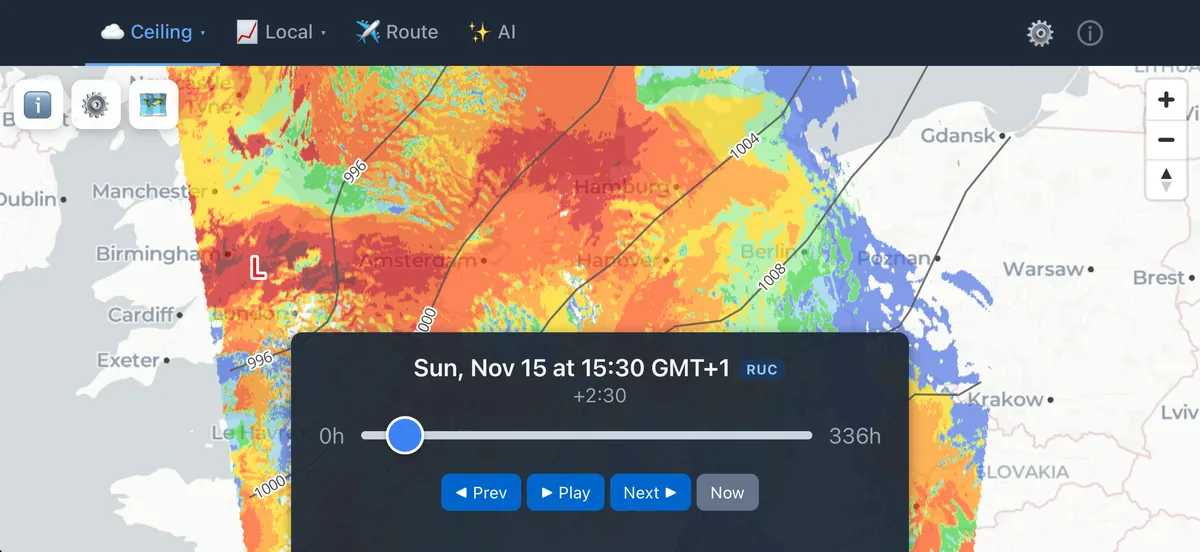
iPhone in landscape. Turn the phone and the map
uses the full width; the time player stays centred at the bottom.iPad. On a tablet the info panel, map controls
and legend stay open next to the map.Android tablet. The installed app on a Pixel
Tablet.
Good to know
Settings live on the device. Home location, aircraft
and Personal Limits are stored in
the browser, not in an account. On iPhone and iPad the installed app
keeps its own copy, separate from Safari — set them once inside the
app.
You need a connection for forecasts. The app opens
without one and shows pages you visited before, but forecast data is
always loaded fresh — an old forecast is never shown as current.
No extra permissions. Installing doesn't ask for
notifications or anything else; Locate me asks for your
location only when you tap it.
Troubleshooting
Something looks shifted or stuck: close the app from
the app switcher and open it again.
On iPhone the top of the navigation bar looks dimmed:
installs from before November 2026 keep an old status-bar setting.
Remove the icon from the home screen and add it again.
No Install option on Android: make sure you
are in Chrome (not an in-app browser, e.g. from a messenger link) —
open the page in Chrome first.